SSP Approval: Why Publisher Accounts Get Rejected & How to Fix It
Quick Answer
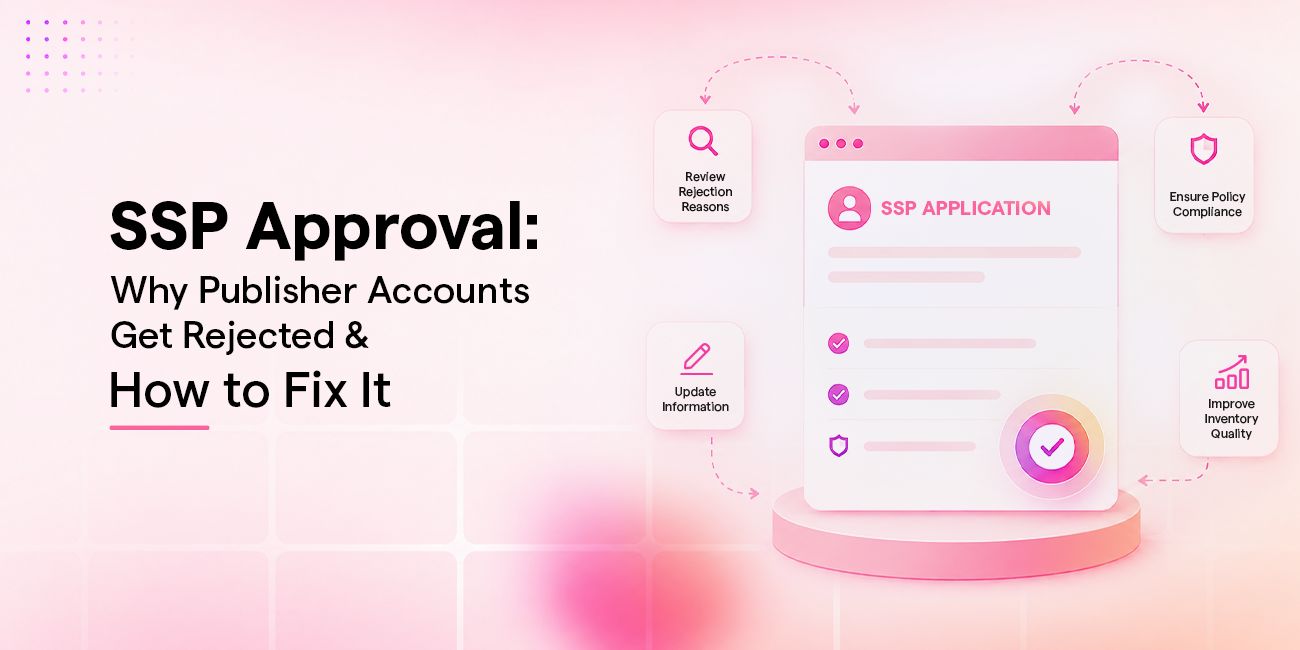
SSP approval depends on a small, checkable set of factors: accurate business details, traceable traffic sources, content that meets quality and policy standards, and a working ads.txt or app-ads.txt file. Most rejections trace back to one of these, and most are fixable once the specific reason is known.
- Confirm legal entity and business details are accurate and complete
- Provide a clear traffic source breakdown (organic, paid, referral)
- Ensure content meets quality and policy standards
- Fix technical issues such as ads.txt errors or site accessibility before resubmitting
- Address the specific reason and reapply rather than creating a duplicate account
Introduction
A rejection notice from a supply-side platform rarely comes with much explanation. Publishers submit an application, wait a few days, and receive a short message saying the account was not approved. No breakdown of what went wrong. No clear path forward. It feels arbitrary, especially for a publisher who has spent months building traffic and content.
It is not arbitrary. SSP approval exists because the platform’s entire business depends on buyer trust. Every demand partner connected to an SSP is trusting that the inventory on the other side of the auction is real, legitimate, and safe to bid on. When an SSP approves a low-quality or fraudulent publisher, it does not just hurt that one relationship. It weakens the SSP’s standing with every buyer connected to its platform.
This is why review exists industry-wide, not just at one platform. SSPs, from large global exchanges to smaller regional platforms, tend to run some version of the same checks: who is applying, where the traffic comes from, whether the content meets basic standards, and whether the technical setup is in place. Publishers who understand what is typically being checked can usually clear approval much faster the second time around.
A rejection does not necessarily mean a publisher cannot be approved later. In many cases, publishers can address the issue identified during review and reapply. The rest of this guide breaks down what SSPs actually look for during approval, the most common reasons applications get turned down, and exactly what to fix before trying again.
Why SSP Review Feels Different From Signing Up for an Ad Network
Publishers coming from simpler ad networks are often surprised by how much scrutiny an SSP application involves. A basic ad network might approve a site within minutes, largely because the network absorbs most of the risk on the buyer’s behalf and filters inventory after the fact rather than before.
An SSP approaches this differently, and the reason comes down to what approval actually connects a publisher to. Once a property is approved, its inventory becomes part of a broader programmatic supply chain, reachable by demand partners who are bidding on it without ever seeing it directly. That is why SSP approval tends to assess more than a single factor. Inventory quality determines whether the content and ad experience meet standards buyers expect. Traffic sources need to be traceable and explainable, since real-time auctions depend on the traffic behind an impression being genuine. Compliance covers the legal, billing, and policy details that let the SSP stand behind the publisher as a legitimate seller. Technical readiness, particularly ads.txt and app-ads.txt, is what allows the SSP to formally authorize itself to sell that inventory in the first place.
Each of these checks exists because approval is not really a one-time gate. It is what lets a publisher’s inventory move through an automated supply chain safely, at scale, without a person reviewing every individual transaction. That is also why review is often manual, at least in part, rather than fully automated. Automated checks can catch obvious technical problems, such as a missing ads.txt file or a domain that does not resolve. They tend to be less reliable at judging whether traffic patterns look organic, whether content meets brand safety standards, or whether a business’s legal details are consistent and legitimate. Many SSPs combine automated screening with a manual review step specifically to catch what automation misses.

What SSPs Actually Check During Review
Business and Legal Verificationd
SSPs need to know who they are working with. This means a verifiable legal entity, accurate business details, and billing information that matches across every field submitted. Mismatched or incomplete information is one of the fastest ways to stall a review, since the platform cannot confirm who actually owns the inventory being submitted. This step also protects the publisher: it is what allows the SSP to route payments correctly and hold demand partners accountable if a dispute arises later.
Publishers sometimes underestimate how closely this gets checked. A business name that does not match domain registration records, a billing address that differs from the legal entity address, or a company type field that does not match the actual structure of the business can each independently trigger a hold, even when everything else about the application is strong.
Traffic Source Validation
Reviewers look closely at where traffic comes from, not just how much of it there is. A site with a reasonable volume of traffic but no clear explanation of its sources, or traffic that shows patterns associated with bots and non-human activity, will not clear review. SSPs are not just checking volume. They are checking whether the traffic is real, sustainable, and safe for demand partners to bid on.
This is also where publishers with a heavy reliance on a single traffic channel, particularly paid traffic arbitrage or unusual referral spikes, tend to run into friction. It is not that these traffic sources are automatically disqualifying. It is that they require more context and documentation before a reviewer can be confident the traffic reflects genuine audience engagement rather than manufactured volume.
Content Quality and Policy Compliance
Content quality checks cover originality, layout, and whether the site follows standard advertising policies. Sites with thin or duplicated content, excessive ad density, intrusive ad placements, or categories that most demand partners avoid, such as adult content, piracy, or misleading health and finance claims, are common rejection triggers.
Reviewers are effectively asking a simple question on behalf of every demand partner connected to the platform: would a brand be comfortable having its ad appear next to this content. Sites built primarily to generate ad impressions rather than to serve a real audience, sometimes called made-for-advertising sites, are a frequent target of this check, since they create real risk for buyers even when their traffic numbers look strong on paper.
Technical Readiness
Even a publisher with strong traffic and clean content can get held up on technical grounds. This usually means an ads.txt or app-ads.txt file that is missing, misconfigured, or not publicly accessible, or a site that returns errors when the SSP’s crawler tries to verify it. Firewalls, bot-protection tools, and content delivery network settings can unintentionally block the very crawlers that need to read the file, which is a common and often overlooked cause of technical rejection.
The Most Common Rejection Reasons
Incomplete or Inconsistent Business Information
This is the most avoidable rejection reason, and often the easiest to fix once identified. Legal entity name, address, and billing details need to match across every field in the application. A small inconsistency, such as a business name that does not match the domain registration, or a company type field left blank or filled in incorrectly, is often enough to trigger a manual hold or an outright rejection, even when the underlying business is entirely legitimate.
Unclear or Suspicious Traffic Sources
Publishers who cannot clearly explain their traffic mix are at a disadvantage. If a large share of traffic comes from a single referral source, from paid traffic arbitrage, or shows other patterns SSPs associate with non-genuine engagement, review teams will flag it. This does not always mean the traffic is fraudulent. It often just means the publisher has not provided enough context for the platform to be confident the numbers reflect real, sustainable audience behavior rather than a short-term spike or an artificial source.
Low-Quality or Non-Compliant Content
Content that is thin, scraped, auto-generated without real editorial value, or built around categories most demand partners restrict will not pass review regardless of traffic volume. SSPs are protecting brand safety for every advertiser on their platform, so content that creates brand safety risk gets filtered out early, before it ever reaches an auction.
This category also covers ad experience issues that have nothing to do with the content itself. A site with an excessive number of ad units per page, ads that overlap with content, or placements designed to generate accidental clicks can be rejected on user-experience and policy grounds even when the editorial content is completely legitimate.
Ads.txt or App-ads.txt Issues
Ads.txt is the mechanism publishers use to declare which companies are authorized to sell their inventory. The specification, maintained by IAB Tech Lab, exists specifically so buyers can verify that a seller’s claim to a piece of inventory is legitimate before bidding on it. A missing file, a file with typos, or a file blocked by a firewall or bot-protection rule will stop an SSP from being able to authorize the inventory at all, independent of how strong the content or traffic actually is.
How Long Does SSP Review Actually Take?
Review timelines vary by platform. Many SSPs aim to complete an initial review within a few days when the application is complete and the data submitted is consistent, though exact timelines depend on the individual platform’s process. Delays usually come from one of two places: missing information that has to be requested from the publisher, or traffic and content flags that need a closer manual look before a reviewer is comfortable approving the account.
Publishers who submit complete, accurate information up front typically move through review faster than those who leave fields blank or submit inconsistent details, since every follow-up question a reviewer has to ask adds time back onto the process. It is also common for review to happen in two stages: an initial account-level check covering business and legal details, followed by a separate, property-level check once individual sites, apps, or CTV properties are submitted for monetization. A publisher can clear the first stage and still see individual properties rejected later if those properties do not meet the same standards.
What to Do After a Rejection: How to Fix It and Reapply for SSP Approval

Review the Specific Reason, Don’t Guess
Most SSPs provide some indication of why an application or property did not receive approval, even if it is brief. Reading that reason carefully, rather than assuming it was a traffic volume issue or a random decision, is the fastest way to know what actually needs to change before reapplying. Publishers who skip this step and resubmit without changes, hoping for a different outcome on a second pass, are usually rejected again for the same reason.
Fix the Root Cause Before Reapplying
Reapplying without addressing the underlying issue almost always produces the same result. If the rejection was tied to ads.txt, fix the file, confirm it returns a successful response, and verify it is not being blocked by a firewall or bot-protection rule before resubmitting. If it was tied to content, address the specific content concern that was flagged rather than making unrelated changes elsewhere on the site. A targeted fix, tied directly to the stated reason, is far more likely to clear SSP approval than a broad set of unrelated changes.
Why Duplicate Accounts Should Be Avoided
Submitting a second application under a new account while the first is still pending, or after a rejection, is one of the more damaging mistakes a publisher can make. It does not speed up approval. It usually complicates the review further, since the platform now has to reconcile two applications tied to the same business or domain, which can extend the timeline well beyond what a direct follow-up would have taken. The better path is to reach out to the platform directly and work through the original account, using whatever rejection detail was provided as the starting point for the conversation.
How Publishers Can Improve Approval Odds Before Applying
Publishers who prepare before applying tend to move through review with far fewer delays. A short pre-application checklist helps: confirm legal entity and billing details are accurate and match across every field, document traffic sources clearly, review content against common brand safety categories before submitting, and verify that ads.txt or app-ads.txt is live and returning a successful response before the application goes in.
How a Publisher-First SSP Approaches This
The review process described above is standard across the industry, but the amount of visibility a publisher gets into it varies significantly by platform. Some SSPs return a rejection with little more than a status change. Others are built around giving publishers more insight into the process itself.
Helix, a Publisher Monetization Platform & Self-Serve SSP, reflects this second approach. Platforms built this way generally aim to surface approval status and rejection detail within the publisher’s own dashboard, rather than leaving that information to a separate support conversation. Ads.txt and app-ads.txt verification is also commonly built into onboarding on self-serve platforms like this, giving publishers an earlier signal on file detection than waiting to find out during review. Once approved, self-serve SSPs typically let publishers manage inventory and access demand from the same dashboard used throughout onboarding, rather than negotiating each relationship separately.
This kind of transparency does not change what SSPs check during review. Where a platform is built around it, it can make it easier for a publisher to identify and address the specific issue rather than resubmitting without knowing what changed.
Conclusion
SSP approval is rarely a one-shot process, and a rejection is a common, ordinary part of it, not a dead end. The reasons behind most rejections fall into a short, predictable list: business details, traffic source clarity, content quality, and technical readiness, particularly ads.txt. Publishers who treat a rejection as specific and fixable, rather than final, are usually approved on their next attempt once the actual issue is addressed.
FAQ
Can a publisher get SSP approval after being rejected once?
Yes. Most SSPs allow reapplication once the issue behind the rejection has been addressed. Creating a new, duplicate account instead of fixing the original application is generally discouraged and can complicate the review further.
How long does SSP approval usually take?
Timelines vary by platform, but most SSPs complete an initial review within a few days when the application is complete and the submitted information is consistent. Missing details or flagged traffic and content typically extend the timeline.
Why do SSPs reject sites with good traffic during approval?
Traffic volume alone is not enough. SSPs also look at where traffic comes from, whether it can be clearly explained, and whether it shows patterns associated with non-genuine engagement. A site with strong volume but unclear traffic sources can still be rejected.
Does a rejected SSP application affect approval with other platforms?
A rejection from one SSP does not automatically affect applications with other platforms, since each SSP runs its own independent approval process. That said, the underlying issue, such as an ads.txt problem or a content policy conflict, is likely to trigger a similar result across multiple platforms until it is fixed.
What’s the difference between account-level and property-level SSP approval?
Account-level approval covers the publisher’s overall application. Property-level approval happens after that, when a specific website, app, or CTV property submitted for monetization is reviewed on its own, even though the publisher’s account itself is already active.
Do SSPs explain why an application did not get approved?
Most SSPs provide at least a brief reason, often visible in the publisher dashboard, though the level of detail varies by platform. Reviewing that reason directly is more reliable than guessing at what might have gone wrong.
Related blogs for you
Industry trends, product updates, and publisher strategies straight from the people building the future of programmatic.